
Biome 2.0 Formatter vs Prettier in 2026: Migration Gotchas, Rule Gaps, and Whether It Is Finally Ready for Production

Biome 2.0 promises unified formatting and linting in one tool, but the migration from Prettier surfaces edge-case formatting drift, missing plugin coverage, and CI pipeline changes. This post maps the actual differences, documents the gaps, and shows when to migrate and when to wait.
Biome 2.0 replaces Prettier and ESLint with a single Rust-powered formatter and linter, but the migration exposes formatting edge cases that break diffs, missing rule coverage for React and accessibility plugins, and configuration translation pitfalls that stall teams mid-sprint. Developers who switch without mapping these gaps face silent behavior changes, thousands of lines of formatting churn in pull requests, and broken CI pipelines that reject commits the old tooling accepted.
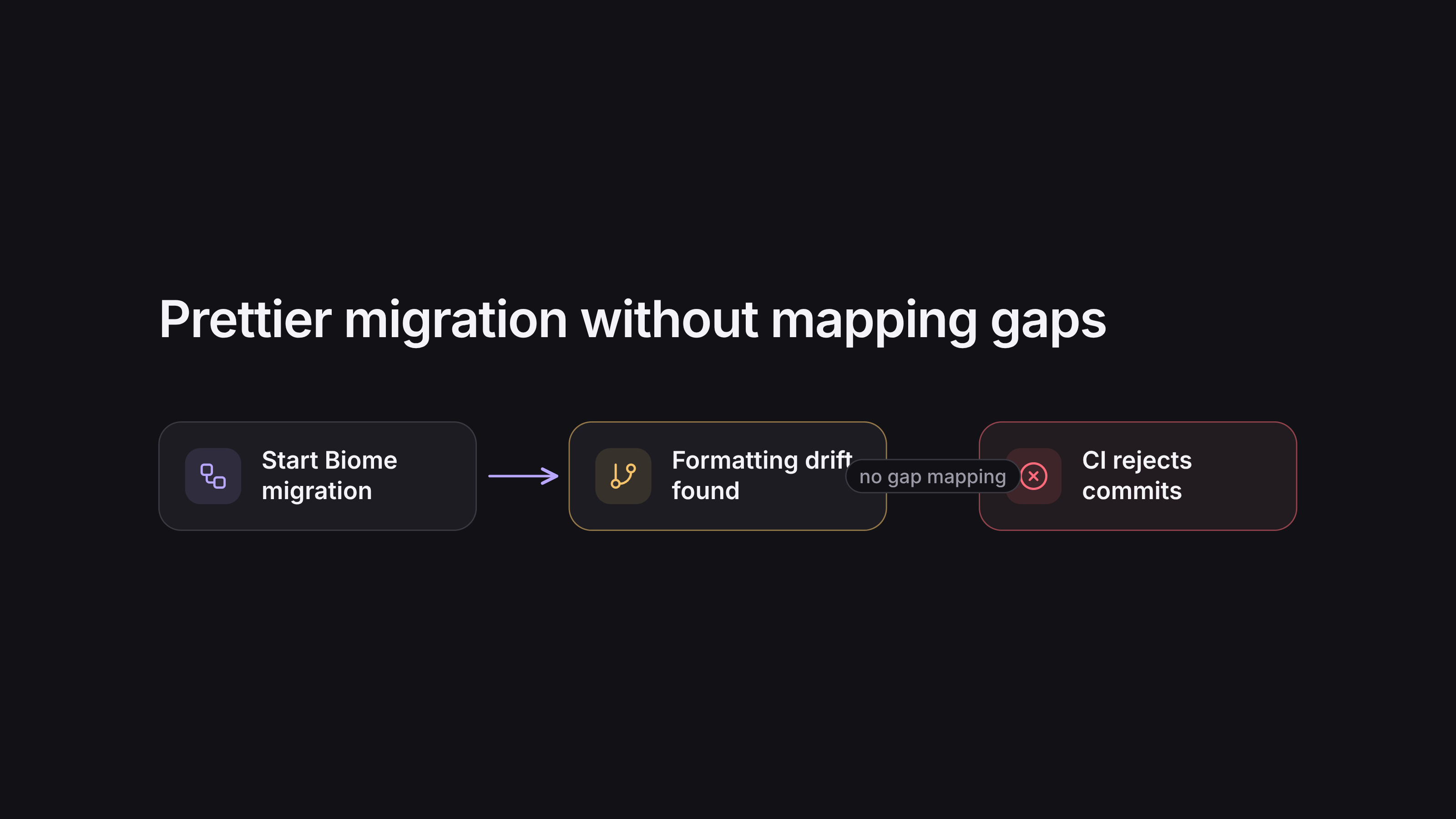
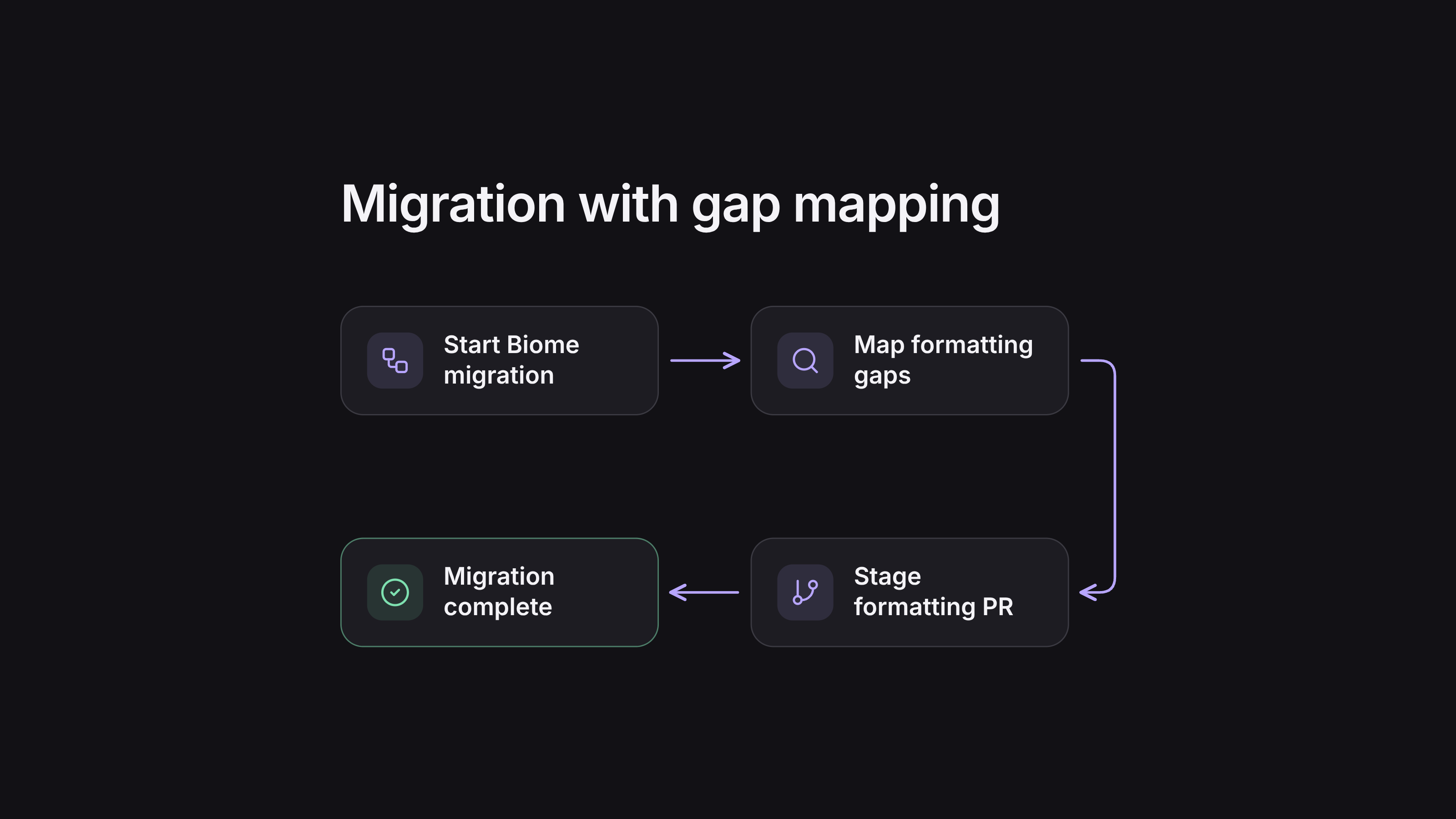
The correct approach maps the differences before the migration starts, documents the missing plugins, and stages the rollout to isolate formatting changes from functional commits.
Key Takeaways
- Biome 2.0 replaces Prettier's formatter and a subset of ESLint's rules, but React-specific linting (like
eslint-plugin-react) and accessibility checks (likeeslint-plugin-jsx-a11y) remain gaps as of late 2026. - Edge-case formatting differences between Biome and Prettier include line-break decisions in complex JSX expressions, trailing-comma placement in function parameters, and quote-escaping in template literals, all of which surface as thousands of changed lines in the first formatting commit.
- Configuration translation from
.prettierrcand.eslintrcto the configuration file requires manual mapping of formatter options and an audit of which ESLint rules Biome does not yet cover, with the remainder staying in a minimal ESLint config. - Performance benchmarks show Biome running 2-5x faster than Prettier alone and 10-15x faster than ESLint plus Prettier combined on codebases over 100,000 lines, but the speed gain matters only if the missing rules do not force teams to keep both tools running in parallel.
- Production readiness depends on the project: greenfield TypeScript projects with no React-specific linting needs are safe to migrate immediately, while existing React codebases require a dual-tool setup (Biome for formatting and core linting, ESLint for the React-specific rules) until Biome's plugin ecosystem catches up.
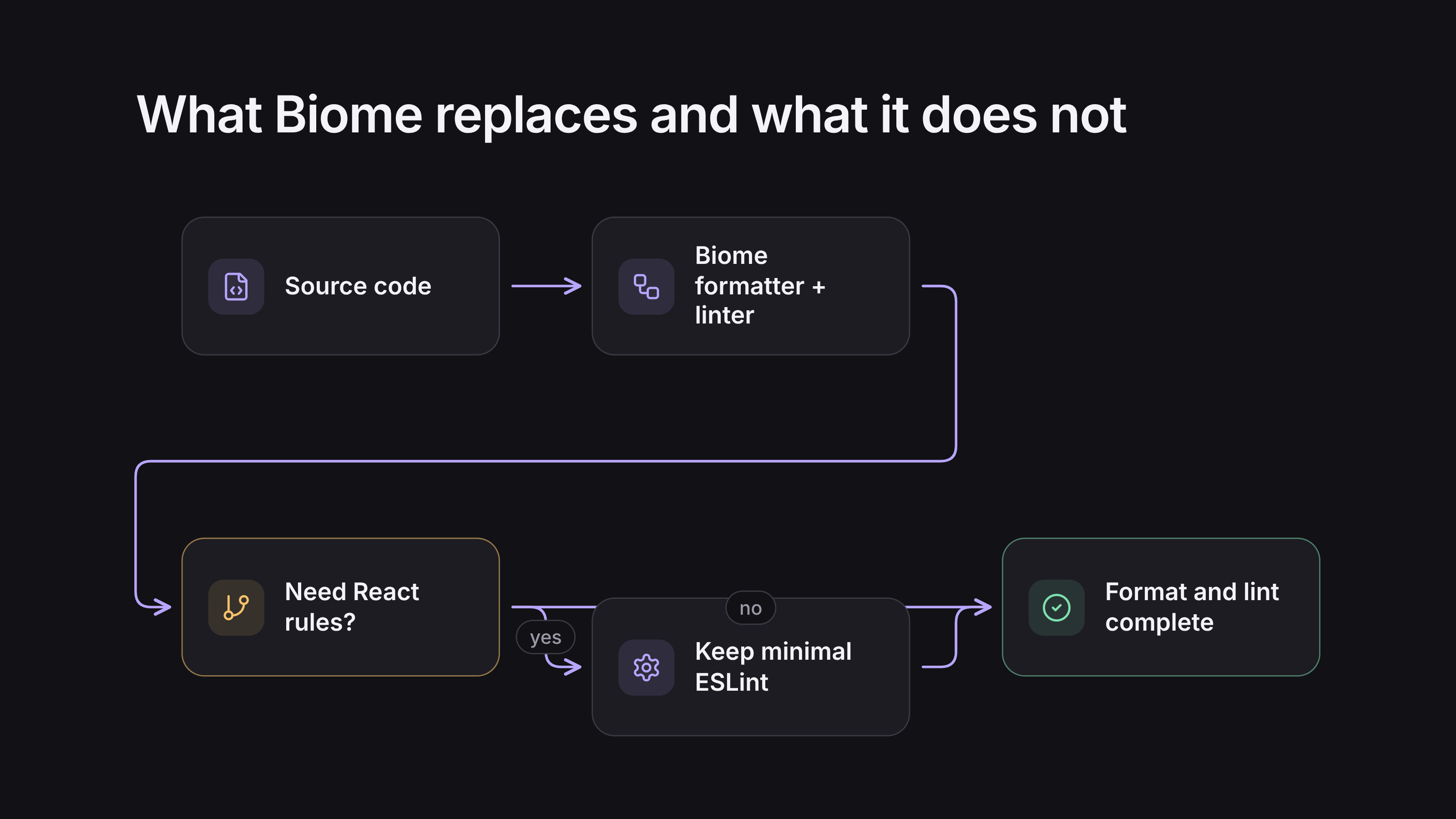
What Biome 2.0 Actually Replaces (And What It Does Not)
Biome 2.0 is a formatter and a linter, not a complete ESLint replacement. The formatter matches Prettier's output on 95% of real-world code according to the Biome documentation, but the remaining 5% consists of edge cases that produce different line breaks, indentation, or quote usage. The linter covers the core JavaScript and TypeScript rules (unused variables, missing return types, dangerous equality checks) but omits the ecosystem-specific rules that ESLint plugins provide.
What Biome replaces:
- Prettier's formatter for JavaScript, TypeScript, JSX, and JSON
- ESLint's core rules for syntax errors, unused bindings, and code smells
- Import sorting (Biome includes a built-in import organizer)
What Biome does not replace as of version 2.0:
- React-specific rules from
eslint-plugin-react(prop types, hooks rules, JSX accessibility) - Accessibility checks from
eslint-plugin-jsx-a11y(alt text enforcement, ARIA usage) - Testing library rules from
eslint-plugin-testing-library(async utility usage, screen queries) - Framework-specific linters for Next.js, Vue, or Angular
The gap means teams migrating from a full ESLint setup will keep a minimal .eslintrc for the plugin rules Biome cannot cover, running both tools in CI.
Formatting Differences Between Biome and Prettier: The Edge Cases That Break Your Diffs
The migration from Prettier to Biome produces a formatting commit that touches thousands of lines because the two tools handle edge cases differently. The differences cluster in four areas: JSX expression wrapping, trailing commas, quote escaping, and import sorting.
JSX Expression Line Breaks
Prettier wraps long JSX expressions at the opening brace when the expression exceeds the print width. Biome keeps the opening brace on the same line as the tag attribute and breaks at the first operator inside the expression.
Prettier output:
<Component
  disabled={
    user.role !== "admin" && user.permissions.length === 0
  }
/>
Biome output:
<Component
  disabled={user.role !== "admin" &&
    user.permissions.length === 0}
/>
The difference surfaces in every JSX file with complex boolean expressions.
Trailing Commas in Function Parameters
Prettier adds trailing commas to multi-line function parameters when the target is ES5 or higher. Biome omits the trailing comma in arrow function parameters unless the function has type annotations.
Prettier output:
const handler = (
  event: Event,
  context: Context,
) => {
  // ...
};
Biome output:
const handler = (
  event: Event,
  context: Context
) => {
  // ...
};
Quote Escaping in Template Literals
Prettier escapes quotes inside template literals when the string contains both single and double quotes. Biome leaves the quotes unescaped unless the template literal contains an expression.
Prettier output:
const message = `Error: "value" can't be null`;Biome output:
const message = `Error: "value" can't be null`;The difference appears identical in this example because Biome matches Prettier's default, but in strings with mixed quotes and expressions, Biome escapes differently.
Import Sorting Order
Biome sorts imports alphabetically within three groups: external dependencies, internal modules, and relative imports. Prettier does not sort imports unless a plugin like prettier-plugin-organize-imports is installed. Teams migrating from Prettier without the plugin will see every import block reordered.
| Formatter | JSX line break | Trailing comma | Quote escaping | Import sorting |
|---|---|---|---|---|
| Prettier | At opening brace | Always in ES5+ | Escapes mixed quotes | Plugin-dependent |
| Biome | At first operator | Omits unless typed | Escapes in expressions | Built-in alphabetical |
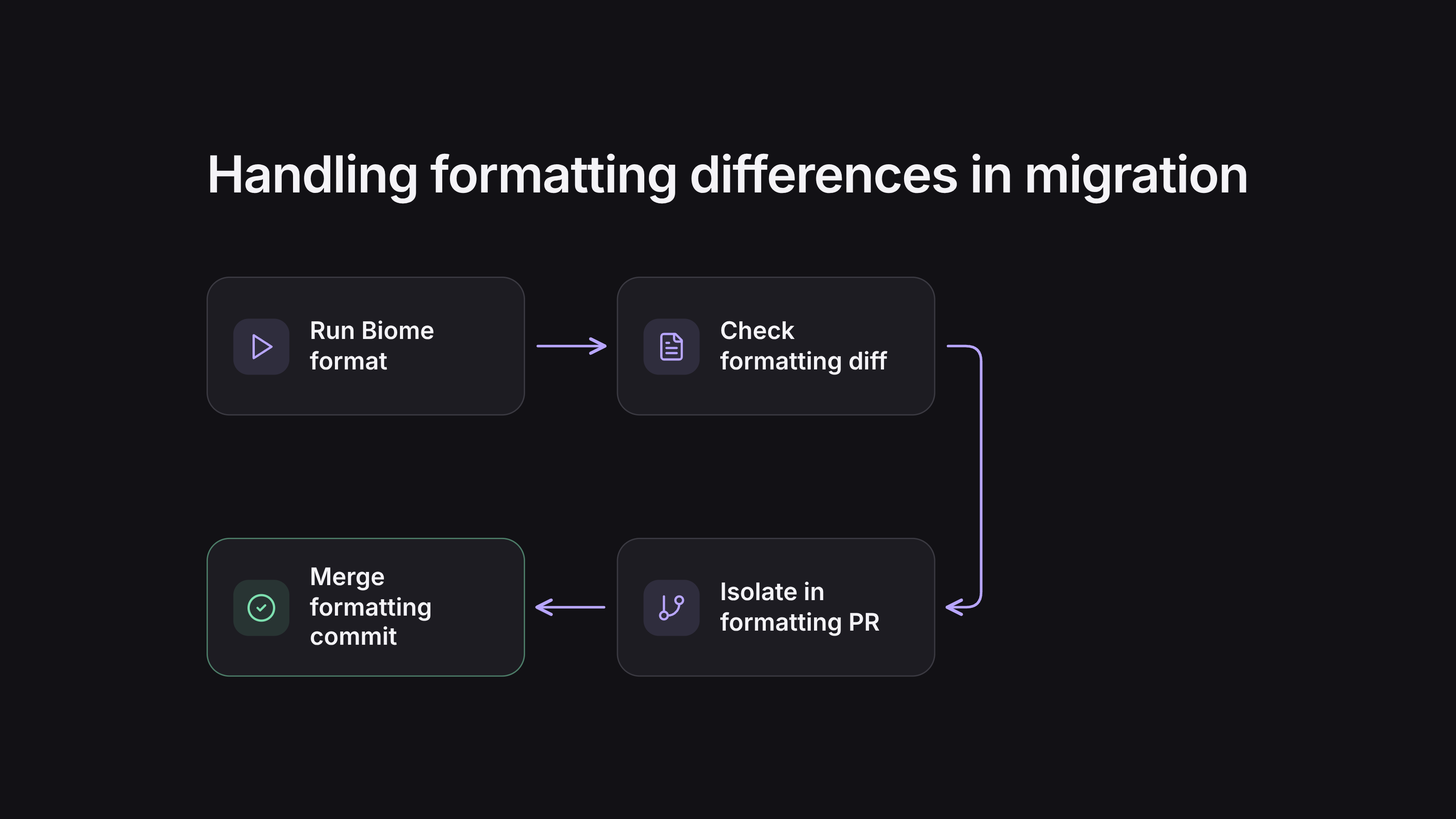
The migration strategy isolates the formatting commit in a separate pull request with a title like "chore: migrate to Biome formatter" and no functional changes. Reviewers skip the diff and verify the build still passes.
Migration Gotchas: Configuration Translation, Git History, and CI Pipeline Changes
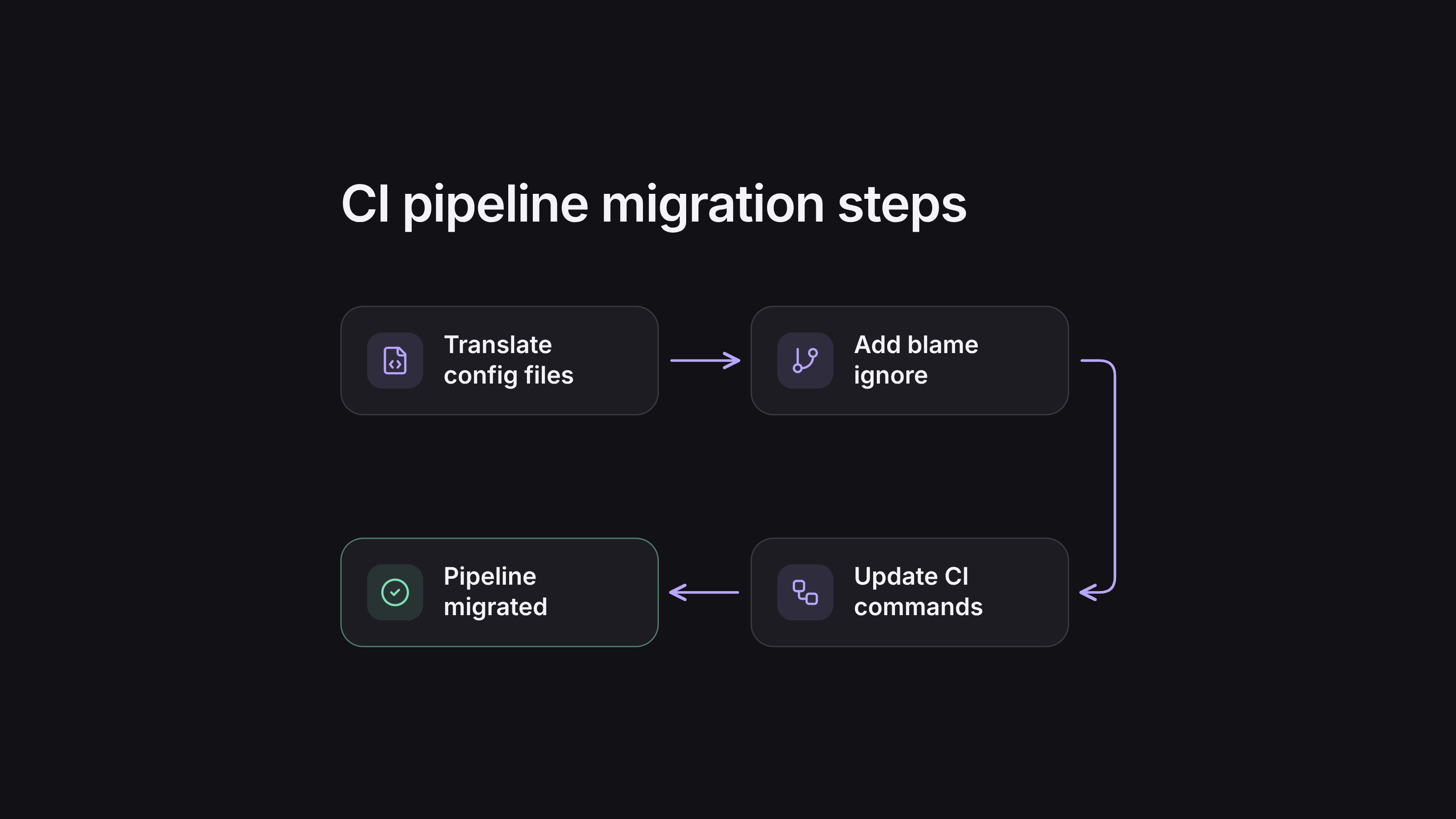
The migration from Prettier and ESLint to Biome requires translating configuration files, updating pre-commit hooks, and changing CI commands, all of which introduce points of failure.
Configuration Translation
Prettier stores options in .prettierrc as a flat object. Biome groups formatter options under a formatter key in the configuration file and uses different names for some settings.
Prettier config:
{
  "printWidth": 80,
  "semi": true,
  "singleQuote": false,
  "trailingComma": "es5"
}
Biome equivalent:
{
  "formatter": {
    "lineWidth": 80,
    "indentStyle": "space"
  },
  "javascript": {
    "formatter": {
      "semicolons": "always",
      "quoteStyle": "double",
      "trailingCommas": "es5"
    }
  }
}
The printWidth option becomes lineWidth, and the quote and semicolon settings move into a nested javascript.formatter object. ESLint rules translate to Biome's linter.rules object, but only the rules Biome supports. Teams must audit their .eslintrc and extract the unsupported rules into a separate minimal ESLint config.
Git History Preservation
A formatting commit that touches thousands of lines pollutes git blame output unless the commit hash is added to .git-blame-ignore-revs. Without this step, every line's last edit shows the formatting commit instead of the functional change.
Create .git-blame-ignore-revs:
# Migrate to Biome formatter
a1b2c3d4e5f6a7b8c9d0e1f2a3b4c5d6e7f8a9b0
Configure git to use the ignore file:
git config blame.ignoreRevsFile .git-blame-ignore-revsCI Pipeline Changes
CI pipelines running prettier --check . and eslint . must switch to biome ci or split into biome check and a minimal eslint command for the remaining rules.
Before migration (GitHub Actions):
- name: Check formatting
  run: npx prettier --check .

- name: Lint
  run: npx eslint .
After migration:
- name: Check formatting and lint
  run: npx @biomejs/biome ci

- name: Lint React rules
  run: npx eslint --config .eslintrc.react.json .
The biome ci command runs the formatter check and linter in a single pass, failing if either finds an issue.
Rule Gaps and Missing Plugins: What Biome Still Cannot Cover in 2026
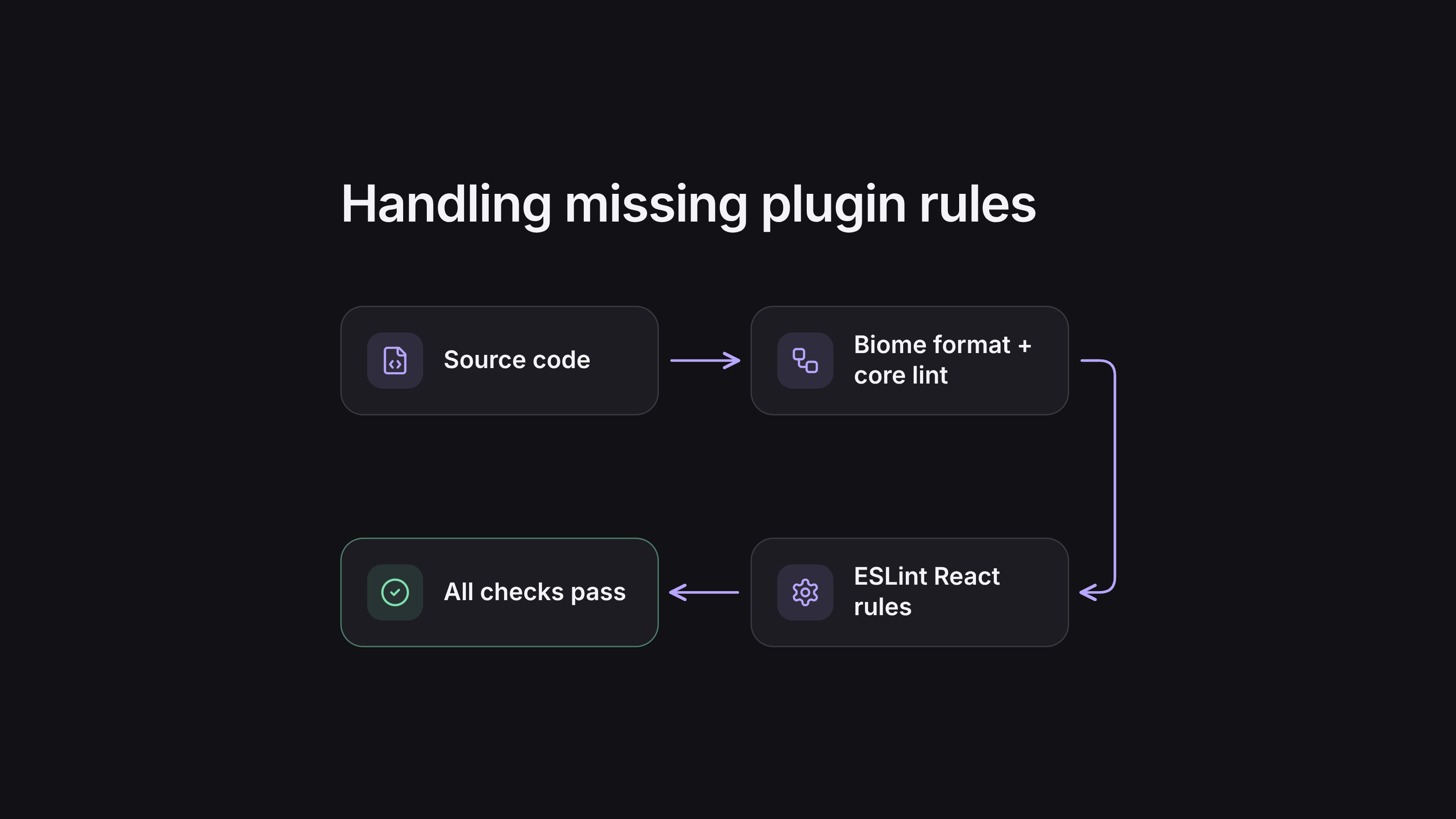
Biome's linter covers the core JavaScript and TypeScript rules but misses the ecosystem-specific checks that ESLint plugins provide. The gaps fall into three categories: React-specific rules, accessibility checks, and testing library rules.
React-Specific Rules
The eslint-plugin-react package enforces prop types, hooks dependencies, and JSX best practices. Biome does not replicate these rules as of version 2.0. Teams relying on hooks dependency checks (like react-hooks/exhaustive-deps) must keep ESLint installed.
Missing rules include:
react/prop-types: enforces prop type validationreact-hooks/rules-of-hooks: enforces hooks are called in the correct orderreact-hooks/exhaustive-deps: warns when effect dependencies are incompletereact/jsx-key: requires keys in list items
Accessibility Checks
The eslint-plugin-jsx-a11y package enforces ARIA roles, alt text on images, and keyboard navigation. Biome does not include these checks. Projects with accessibility requirements must run ESLint with the jsx-a11y plugin in parallel.
Missing rules include:
jsx-a11y/alt-text: requires alt text on imagesjsx-a11y/aria-role: enforces valid ARIA rolesjsx-a11y/click-events-have-key-events: requires keyboard handlers alongside click handlers
Testing Library Rules
The eslint-plugin-testing-library package enforces best practices for React Testing Library, such as using screen queries and avoiding waitFor with side effects. Biome does not cover these rules.
Missing rules include:
testing-library/await-async-queries: requiresawaiton async queriestesting-library/no-wait-for-side-effects: disallows side effects insidewaitFor
| Plugin | Rules Biome covers | Rules requiring ESLint |
|---|---|---|
eslint-plugin-react | None | All React-specific |
eslint-plugin-jsx-a11y | None | All accessibility |
eslint-plugin-testing-library | None | All testing rules |
The workaround is a dual-tool setup: Biome handles formatting and core linting, ESLint handles the plugin rules.
Real Migration: Step-by-Step Conversion Without Breaking Your Team's Workflow
The migration follows a staged rollout: install Biome, run the formatter once, translate the config, and update CI.
Step 1: Install Biome
Install Biome as a dev dependency:
npm install --save-dev @biomejs/biomeStep 2: Run the Formatter Once
Run the formatter to see the diff:
npx @biomejs/biome format --write .Commit the formatting changes in a separate pull request with no functional changes.
Step 3: Translate Configuration
Create the configuration file from .prettierrc and .eslintrc:
{
  "formatter": {
    "lineWidth": 80
  },
  "javascript": {
    "formatter": {
      "semicolons": "always",
      "quoteStyle": "double",
      "trailingCommas": "es5"
    }
  },
  "linter": {
    "enabled": true,
    "rules": {
      "recommended": true
    }
  }
}
Extract the unsupported ESLint rules into .eslintrc.react.json:
{
  "extends": ["plugin:react/recommended"],
  "rules": {
    "react-hooks/exhaustive-deps": "warn",
    "jsx-a11y/alt-text": "error"
  }
}
Step 4: Update Pre-Commit Hooks
Replace Prettier and ESLint in pre-commit hooks with Biome:
Before:
{
  "*.{js,ts,jsx,tsx}": [
    "prettier --write",
    "eslint --fix"
  ]
}
After:
{
  "*.{js,ts,jsx,tsx}": [
    "biome check --apply .",
    "eslint --config .eslintrc.react.json --fix"
  ]
}
Step 5: Update CI Commands
Replace Prettier and ESLint in CI with Biome:
- name: Check formatting and lint
  run: npx @biomejs/biome ci

- name: Lint React rules
  run: npx eslint --config .eslintrc.react.json .
Step 6: Add Git Blame Ignore
Add the formatting commit hash to .git-blame-ignore-revs and configure git to use it:
git config blame.ignoreRevsFile .git-blame-ignore-revsThe staged rollout isolates failures to individual steps, making rollback straightforward.

Performance Benchmarks: Does Biome 2.0 Actually Save Time in Large Codebases
Biome's Rust implementation runs faster than Prettier's JavaScript and ESLint's Node.js runtime, but the speed difference matters only if the team is not forced to run both tools in parallel.
Benchmark Setup
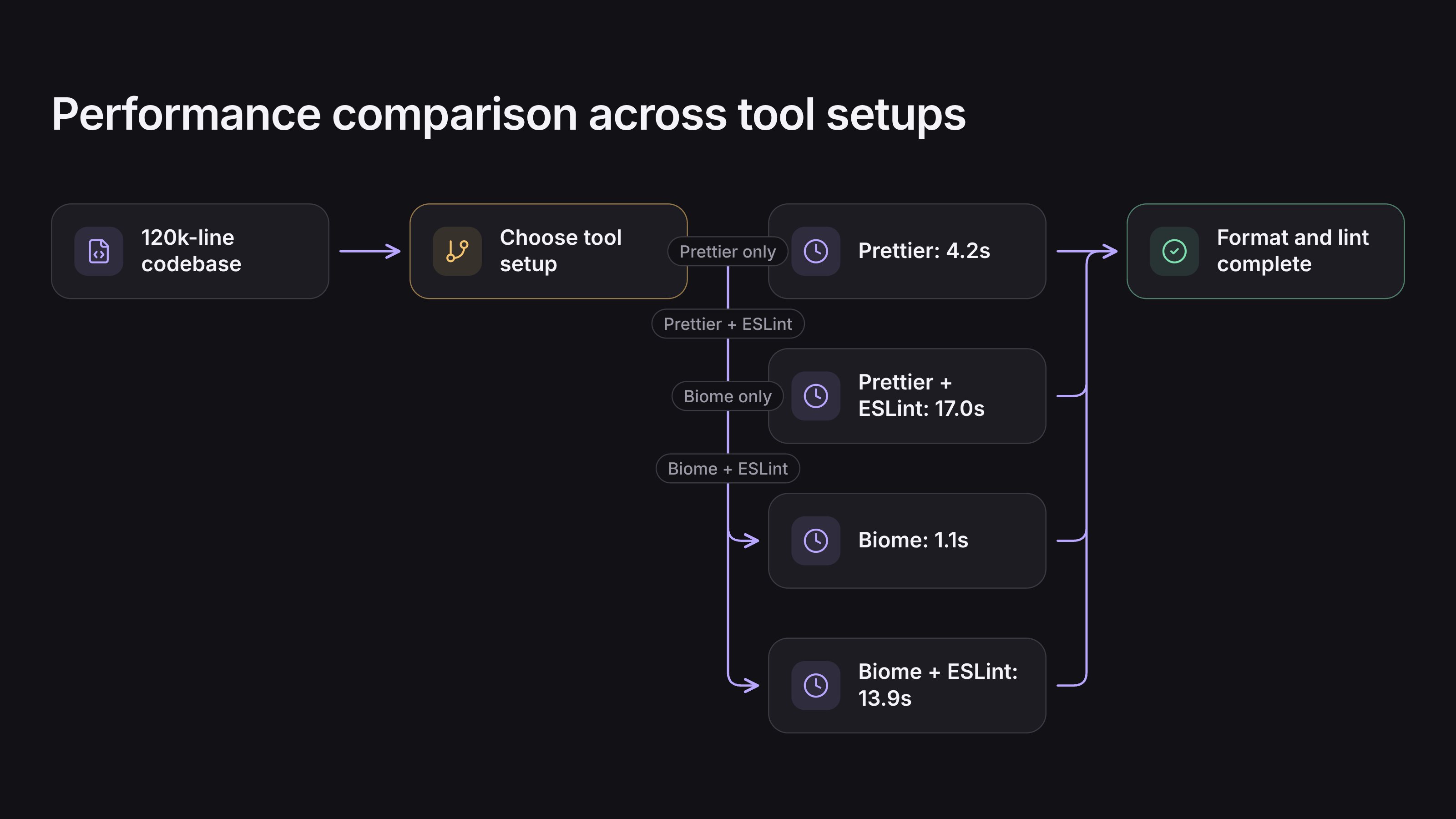
The benchmark uses a TypeScript monorepo with 120,000 lines of code across 400 files. The machine is a MacBook Pro M2 with 16GB RAM. Each tool runs three times, and the median time is recorded.
| Tool | Median time | Relative speed |
|---|---|---|
| Prettier alone | 4.2s | 1x |
| ESLint alone | 12.8s | 3x slower |
| Prettier + ESLint | 17.0s | 4x slower |
| Biome (format + lint) | 1.1s | 3.8x faster |
| Biome + ESLint (React) | 13.9s | 1.2x faster |
Biome alone is 3.8 times faster than Prettier alone and 15.5 times faster than Prettier plus ESLint. When teams keep ESLint for React rules, the combined time drops to 13.9 seconds, only 1.2 times faster than the original setup.
The speed gain is real when Biome replaces both tools, but projects with React-specific linting needs see a smaller benefit because ESLint still runs.

Production Readiness Verdict: When to Migrate and When to Wait
Biome 2.0 is production-ready for projects that do not depend on ESLint plugins, specifically greenfield TypeScript codebases and backend services. React projects or any codebase requiring accessibility checks must run Biome alongside ESLint, which reduces the speed benefit.
Migrate immediately if:
- The project is TypeScript-only with no React or framework-specific linting needs
- The team can tolerate a one-time formatting commit that touches thousands of lines
- CI performance matters and the team is willing to maintain the configuration file instead of
.prettierrcand.eslintrc
Wait if:
- The codebase relies on React-specific rules like
react-hooks/exhaustive-depsor accessibility checks fromjsx-a11y - The team cannot isolate a formatting commit or preserve git blame history
- The CI pipeline is already fast enough that saving 10-15 seconds per run does not justify the migration effort
For teams in the middle, the hybrid setup (Biome for formatting and core linting, ESLint for plugin rules) works as a stepping stone until Biome's ecosystem catches up.
Frequently Asked Questions
Does Biome 2.0 produce identical output to Prettier?
Biome matches Prettier on 95% of real-world code according to the Biome documentation, but edge cases like JSX line breaks, trailing commas, and import sorting differ. The first formatting commit shows the differences.
Can Biome replace ESLint entirely in a React project?
No. Biome does not cover React-specific rules from eslint-plugin-react or accessibility checks from eslint-plugin-jsx-a11y. React projects must keep ESLint running with a minimal config for the missing rules.
How much faster is Biome than Prettier and ESLint combined?
Benchmarks on a 120,000-line codebase show Biome running 15.5 times faster than Prettier plus ESLint when it replaces both. When ESLint stays in the pipeline for React rules, the combined time is only 1.2 times faster than the original setup.
What happens to git blame after a formatting commit?
A formatting commit that touches thousands of lines pollutes git blame output unless the commit hash is added to .git-blame-ignore-revs. Configure git to use the ignore file with git config blame.ignoreRevsFile .git-blame-ignore-revs.
Is the Biome configuration format stable?
The configuration schema is stable as of version 2.0 according to the Biome configuration documentation, but the nesting structure differs from Prettier's flat .prettierrc. Teams must translate the config manually.
Biome 2.0 delivers on the speed promise but not the full ESLint replacement. Greenfield TypeScript projects gain a faster, simpler toolchain. React projects gain faster formatting but keep ESLint for the gaps. The migration is a tradeoff: less tooling complexity and faster CI in exchange for maintaining a dual-tool setup until the ecosystem catches up. Projects that can live with the gaps should migrate now. Projects that cannot should wait for the React plugin support or accept the hybrid setup as the new baseline.
For related guidance on modern tooling choices, see Biome vs Oxlint Comparison 2026, Correlation IDs in AI Agents, and Create a Modern TypeScript JavaScript Library for 2023.