
5 Real-Life Node.js Worker Threads Use Cases That Will Save Your Event Loop

Discover 5 production-ready Node.js Worker Threads use cases that solve CPU-intensive bottlenecks. Learn when async isn't enough with real code examples and benchmarks.
One of the most common performance challenges in Node.js development is handling CPU-intensive tasks. Image processing endpoints, for example, can easily take 3-4 seconds per request even when using async/await statements. The issue stems from attempting to solve CPU-bound problems with I/O-bound tools.
JavaScript's event loop is the culprit. In today's world of high-performance Node.js applications, understanding when async isn't enough is the difference between a responsive API and a frustrated user base.
This post explores 5 real-world scenarios where Worker Threads provide the solution—and how to use them to keep your event loop free and your application responsive.
Why Async Isn't Always Enough
Here's the thing about Node.js: it's incredible at I/O operations. Network requests, database queries, file reads—these are where Node shines because they're non-blocking by nature. The event loop juggles all these operations without breaking a sweat.
But there's a catch. When you're dealing with CPU-intensive tasks, the event loop becomes your bottleneck.
Consider this example:
// Bad - blocks the event loop
async function heavyComputation() {
  let result = 0
  for (let i = 0; i < 10000000000; i++) {
    result += i
  }
  return result
}

// In your Express handler:
app.get('/compute', async (req, res) => {
  const result = await heavyComputation()
  res.json({ result })
})
The problem? That loop blocks the entire thread. While it's running, every other request—database queries, API calls, everything—gets stuck in the queue. Your event loop is paralyzed.
This is where Worker Threads step in. They let you run JavaScript code in parallel on separate threads, freeing up your main event loop to handle other requests. Make no mistake about it: this is true multithreading in Node.js.

Use Case #1: Image Processing Pipeline
One of the most common CPU-intensive tasks is image resizing. Consider a typical scenario: an API endpoint accepts user uploads, resizes them to 5 different dimensions, optimizes them, and stores them in S3. Without Worker Threads, a single upload blocks other requests for 2-3 seconds.
Worker Threads solve this problem:
// main.js
import { Worker } from 'node:worker_threads'
import path from 'node:path'
import { fileURLToPath } from 'node:url'

const __dirname = path.dirname(fileURLToPath(import.meta.url))

app.post('/upload', async (req, res) => {
  const imagePath = req.file.path

  return new Promise((resolve, reject) => {
    const worker = new Worker(path.join(__dirname, 'image-worker.js'))

    worker.on('message', (result) => {
      worker.terminate()
      res.json({ success: true, images: result })
      resolve()
    })

    worker.on('error', (error) => {
      worker.terminate()
      res.status(500).json({ error: error.message })
      reject(error)
    })

    worker.on('exit', (code) => {
      if (code !== 0) {
        res.status(500).json({ error: `Worker stopped with code ${code}` })
        reject(new Error(`Worker stopped with code ${code}`))
      }
    })

    worker.postMessage({ imagePath })
  })
})
And the worker:
// image-worker.js
import { parentPort } from 'node:worker_threads'
import sharp from 'sharp'
import path from 'node:path'

parentPort.on('message', async (data) => {
  try {
    const { imagePath } = data
    const outputDir = path.dirname(imagePath)

    const sizes = [
      { name: 'thumb', width: 150, height: 150 },
      { name: 'small', width: 300, height: 300 },
      { name: 'medium', width: 600, height: 600 },
      { name: 'large', width: 1200, height: 1200 },
    ]

    const results = await Promise.all(
      sizes.map(async (size) => {
        const output = path.join(
          outputDir,
          `${path.basename(imagePath, path.extname(imagePath))}-${
            size.name
          }.jpg`,
        )
        await sharp(imagePath)
          .resize(size.width, size.height, { fit: 'cover' })
          .toFile(output)
        return { size: size.name, path: output }
      }),
    )

    parentPort.postMessage(results)
  } catch (error) {
    throw error
  }
})
The result: With 4 CPU cores and Worker Threads, systems can process 4 uploads simultaneously without blocking other requests. The 2-3 second bottleneck becomes transparent to users.
Use Case #2: Large File Parsing
CSV and JSON files aren't just slow to parse—they can lock up your entire server if you're not careful. Parsing a 500MB CSV file with naive async code demonstrates this issue. Streaming helps, but when transforming millions of rows, the event loop still blocks.
Worker pools are your friend here:
// worker-pool.js
import { Worker } from 'node:worker_threads'
import os from 'node:os'

export class WorkerPool {
  constructor(workerPath, poolSize = os.cpus().length - 1) {
    this.workerPath = workerPath
    this.poolSize = poolSize
    this.workers = []
    this.queue = []
    this.activeWorkers = 0

    for (let i = 0; i < poolSize; i++) {
      this.createWorker()
    }
  }

  createWorker() {
    const worker = new Worker(this.workerPath)
    worker.on('message', (result) => {
      const task = this.queue.shift()
      if (task) {
        task.resolve(result)
        worker.postMessage(task.data)
      } else {
        this.activeWorkers--
      }
    })

    worker.on('error', (error) => {
      const task = this.queue.shift()
      if (task) {
        task.reject(error)
      }
    })

    this.workers.push(worker)
  }

  async runTask(data) {
    return new Promise((resolve, reject) => {
      const task = { data, resolve, reject }

      if (this.activeWorkers < this.poolSize) {
        this.activeWorkers++
        const worker = this.workers[this.activeWorkers - 1]
        worker.postMessage(data)
      } else {
        this.queue.push(task)
      }
    })
  }

  terminate() {
    this.workers.forEach((worker) => worker.terminate())
  }
}
The worker processes chunks:
// csv-worker.js
import { parentPort } from 'node:worker_threads'
import { parse } from 'csv-parse/sync'

parentPort.on('message', async (csvChunk) => {
  try {
    const records = parse(csvChunk, {
      columns: true,
      skip_empty_lines: true,
    })

    const transformed = records.map((record) => ({
      ...record,
      processed_at: new Date().toISOString(),
      total: parseInt(record.quantity) * parseFloat(record.price),
    }))

    parentPort.postMessage(transformed)
  } catch (error) {
    throw error
  }
})
Usage:
const pool = new WorkerPool('./csv-worker.js')

app.post('/import-csv', async (req, res) => {
  const fileContent = await fs.readFile(req.file.path, 'utf-8')
  const chunkSize = 50000 // 50k rows per chunk
  const chunks = []

  for (let i = 0; i < fileContent.length; i += chunkSize) {
    chunks.push(fileContent.slice(i, i + chunkSize))
  }

  const results = await Promise.all(chunks.map((chunk) => pool.runTask(chunk)))

  res.json({ imported: results.flat().length })
})
The benefit: Instead of a 10-second hang, the server processes 4 chunks in parallel. Total processing time drops to under 3 seconds.
Use Case #3: Cryptographic Operations
Bcrypt is intentionally slow by design. It's engineered to be CPU-intensive as a security feature. This means running even a single bcrypt.hash() on your main thread can create a noticeable delay for other requests.
// Bad - blocks the event loop
app.post('/register', async (req, res) => {
  const { email, password } = req.body

  // This takes 100-300ms and blocks everything
  const hash = await bcrypt.hash(password, 10)

  const user = await User.create({ email, hash })
  res.json({ user })
})
With Worker Threads:
// crypto-worker.js
import { parentPort } from 'node:worker_threads'
import bcrypt from 'bcrypt'

parentPort.on('message', async (data) => {
  try {
    const { password, rounds } = data
    const hash = await bcrypt.hash(password, rounds)
    parentPort.postMessage({ hash })
  } catch (error) {
    throw error
  }
})
// main.js
function hashPassword(password, rounds = 10) {
return new Promise((resolve, reject) => {
const worker = new Worker('./crypto-worker.js')
worker.on('message', (result) => {
worker.terminate()
resolve(result.hash)
})
worker.on('error', reject)
worker.on('exit', (code) => {
if (code !== 0) reject(new Error(`Worker stopped with code ${code}`))
})
worker.postMessage({ password, rounds })
})
}
app.post('/register', async (req, res) => {
const { email, password } = req.body
const hash = await hashPassword(password, 10)
const user = await User.create({ email, hash })
res.json({ user })
})The benefit: While the main thread hashes one password, it can accept 50 other requests without lag.
Use Case #4: PDF Generation
Document generation can be deceptively CPU-intensive. Whether you're using PDFKit or Puppeteer, rendering complex layouts eats CPU cycles.
// pdf-worker.js
import { parentPort } from 'node:worker_threads'
import PDFDocument from 'pdfkit'
import fs from 'node:fs'

parentPort.on('message', async (data) => {
  try {
    const { orderId, items, outputPath } = data

    const doc = new PDFDocument()
    const stream = fs.createWriteStream(outputPath)

    doc.pipe(stream)
    doc.fontSize(25).text('Invoice', 100, 100)
    doc.fontSize(12)

    let y = 150
    items.forEach((item) => {
      doc.text(`${item.name}: $${item.price}`, 100, y)
      y += 30
    })

    doc.end()

    stream.on('finish', () => {
      parentPort.postMessage({ success: true, path: outputPath })
    })
  } catch (error) {
    throw error
  }
})
Usage:
function generateInvoice(orderId, items) {
  return new Promise((resolve, reject) => {
    const outputPath = `/tmp/invoice-${orderId}.pdf`
    const worker = new Worker('./pdf-worker.js')

    worker.on('message', (result) => {
      worker.terminate()
      resolve(result)
    })

    worker.on('error', reject)

    worker.postMessage({ orderId, items, outputPath })
  })
}

app.post('/generate-invoice', async (req, res) => {
  const { orderId, items } = req.body

  const result = await generateInvoice(orderId, items)
  res.download(result.path)
})
The benefit: Generate 5 invoices simultaneously. The main thread never feels the load.
Use Case #5: Real-Time Data Processing
This is where Worker Threads really shine. Imagine a WebSocket server processing telemetry data from thousands of sensors.
// data-processor-worker.js
import { parentPort, MessageChannel } from 'node:worker_threads'

parentPort.on('message', (data) => {
  if (data.type === 'PROCESS_BATCH') {
    const { readings } = data

    const processed = readings.map((reading) => ({
      ...reading,
      anomaly: reading.value > 100,
      smoothed: Math.round(reading.value * 100) / 100,
      normalized: (reading.value - 50) / 25,
    }))

    parentPort.postMessage({
      type: 'BATCH_COMPLETE',
      results: processed,
      count: processed.length,
    })
  }
})
Usage:
import { WebSocketServer } from 'ws'
import { Worker } from 'node:worker_threads'

const wss = new WebSocketServer({ port: 8080 })
const processor = new Worker('./data-processor-worker.js')

const results = []

processor.on('message', (message) => {
  if (message.type === 'BATCH_COMPLETE') {
    results.push(...message.results)
    console.log(`Processed ${message.count} readings`)
  }
})

wss.on('connection', (ws) => {
  const buffer = []

  ws.on('message', (data) => {
    const reading = JSON.parse(data)
    buffer.push(reading)

    if (buffer.length >= 100) {
      processor.postMessage({
        type: 'PROCESS_BATCH',
        readings: buffer.splice(0, 100),
      })
    }
  })
})
The benefit: Process sensor readings from 10,000+ devices without blocking. The main thread stays responsive, and database resources aren't overwhelmed.

Worker Pool: Production-Ready Pattern
If you're handling multiple CPU-intensive tasks, a worker pool is essential. Here's a complete, production-ready implementation:
// worker-pool.js
import { Worker } from 'node:worker_threads'
import os from 'node:os'
import EventEmitter from 'node:events'

export class WorkerPool extends EventEmitter {
  constructor(workerPath, poolSize = os.cpus().length - 1) {
    super()
    this.workerPath = workerPath
    this.poolSize = poolSize
    this.workers = []
    this.taskQueue = []
    this.activeCount = 0

    for (let i = 0; i < poolSize; i++) {
      this.createWorker()
    }
  }

  createWorker() {
    const worker = new Worker(this.workerPath)

    worker.on('message', (result) => {
      const task = this.taskQueue.shift()

      if (task) {
        task.resolve(result)
        worker.postMessage(task.data)
      } else {
        this.activeCount--
        this.emit('worker-free')
      }
    })

    worker.on('error', (error) => {
      const task = this.taskQueue.shift()
      if (task) {
        task.reject(error)
      }
    })

    worker.on('exit', (code) => {
      if (code !== 0) {
        const task = this.taskQueue.shift()
        if (task) {
          task.reject(new Error(`Worker stopped with exit code ${code}`))
        }
      }
    })

    this.workers.push(worker)
  }

  async runTask(data) {
    return new Promise((resolve, reject) => {
      const task = { data, resolve, reject }

      if (this.activeCount < this.poolSize) {
        this.activeCount++
        const worker = this.workers[this.activeCount - 1]
        worker.postMessage(data)
      } else {
        this.taskQueue.push(task)
      }
    })
  }

  async drain() {
    while (this.taskQueue.length > 0 || this.activeCount > 0) {
      await new Promise((resolve) => this.once('worker-free', resolve))
    }
  }

  terminate() {
    this.workers.forEach((worker) => worker.terminate())
    this.workers = []
  }
}
Use it like this:
const pool = new WorkerPool('./process-worker.js', 4)

// Handle multiple tasks
const tasks = []
for (let i = 0; i < 100; i++) {
  tasks.push(pool.runTask({ id: i, data: /* ... */ }))
}

const results = await Promise.all(tasks)
await pool.drain()
pool.terminate()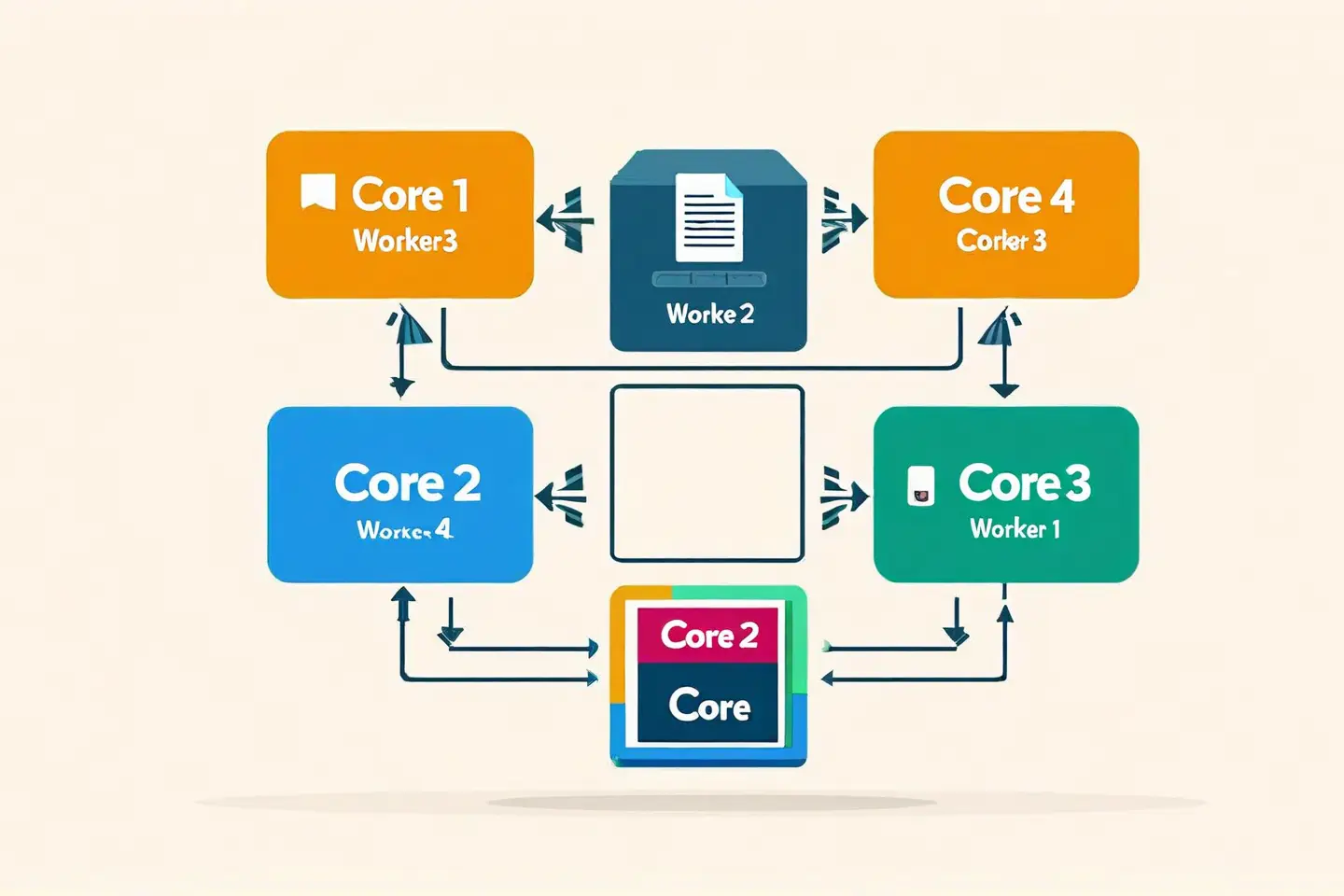
Common Pitfalls & Best Practices
Working with Worker Threads is powerful, but several patterns are critical for success:
Pitfall #1: Creating a Worker for Every Task
This is expensive. Worker creation takes time and memory. Always use a pool.
// Bad
app.post('/process', (req, res) => {
  const worker = new Worker('./worker.js') // Creates new worker every time
  worker.postMessage(data)
  // ...
})

// Good
const pool = new WorkerPool('./worker.js')
app.post('/process', async (req, res) => {
  const result = await pool.runTask(data)
  res.json(result)
})
Pitfall #2: Forgetting to Terminate Workers
Workers that aren't terminated leak memory.
// Bad
const worker = new Worker('./worker.js')
worker.postMessage(data)
// Worker never terminates—memory leak!

// Good
worker.on('message', (result) => {
  worker.terminate() // Always clean up
  res.json(result)
})
Pitfall #3: Using Workers for I/O-Bound Tasks
This defeats the purpose. Use async/await for I/O, Workers for CPU.
// Bad - unnecessary
const worker = new Worker('./fetch-worker.js')
worker.postMessage({
  url: 'https://api.example.com/data',
}) // Don't do this

// Good - just use async
const result = await fetch('https://api.example.com/data')
Pitfall #4: Not Handling Worker Errors
Unhandled worker errors crash your app silently.
// Bad
worker.postMessage(data)
// No error handler!

// Good
worker.on('error', (error) => {
  console.error('Worker error:', error)
  // Notify user, retry, etc.
})

worker.on('exit', (code) => {
  if (code !== 0) {
    console.error(`Worker exited with code ${code}`)
  }
})
Best Practices Summary:
- Use pools, not single workers
- Always terminate workers after use
- Use for CPU, not I/O
- Handle errors gracefully
- Monitor memory usage in production
- Limit pool size to
os.cpus().length - 1 - Test under load before deploying
Conclusion
Worker Threads have fundamentally transformed how CPU-intensive tasks are handled at scale. What previously required horizontal scaling or external services now fits inside a single Node.js process. The event loop remains responsive, users experience faster responses, and infrastructure costs decrease.
Continue Learning:
- 5 Real-Life Problems with Async Generators - Understand when async is the right tool
- The Power of Caching in JavaScript - Complement Worker Threads with smart caching strategies
Image Attribution
Content images provided by Pexels:
- Photo by Tim Gouw - Developer working on laptop
- Photo by panumas nikhomkhai - Modern server room
- Photo by Sergei Starostin - Circuit board detail