
TanStack Query: Async State Management Done Right

Most async state problems stem from treating server data like client state. TanStack Query separates these concerns with powerful caching, automatic refetching, and optimistic updates that eliminate boilerplate.
Most async state problems stem from treating server data like client state. Developers reach for Redux or Context to manage API responses, cache them manually, and build retry logic from scratch. The result is hundreds of lines of boilerplate for what should be a solved problem. TanStack Query eliminates this entire category of complexity by recognizing a fundamental truth: server state has different lifecycle requirements than client state.
Why Async State Management Is Different (And Why Most Developers Get It Wrong)
Server state is fundamentally different from UI state. When a user toggles a sidebar, that's client state—deterministic, synchronous, and owned by the application. When an application fetches user data from an API, that's server state—asynchronous, potentially stale, and owned by the backend.
Traditional state management tools conflate these concepts. Teams build action creators to trigger fetches, reducers to store loading states, and selectors to access cached data. The pattern works, but the code-to-value ratio is abysmal. Worse, it encourages developers to cache aggressively without invalidation strategies, leading to stale data bugs that appear months after deployment.
TanStack Query inverts this model. Instead of manually orchestrating fetch-store-invalidate cycles, developers declare data dependencies and let the library handle synchronization. The mental model shift is significant: queries are not imperative commands but declarative subscriptions to server state.
TanStack Query vs Traditional State Management: The Mental Model Shift
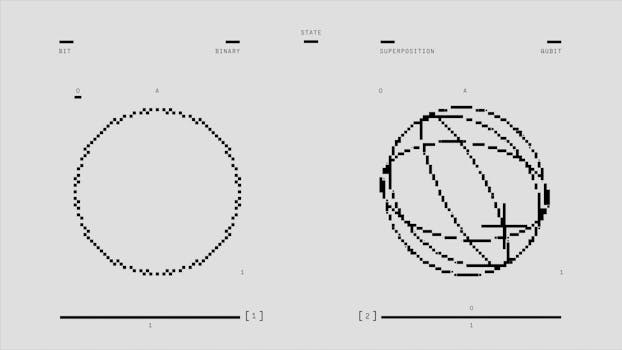
The traditional approach requires explicit state management for every async operation. Fetch user data, dispatch a loading action, store the result in a normalized structure, handle errors with another dispatch. The pattern scales linearly with complexity—ten endpoints mean ten sets of actions, reducers, and selectors.
TanStack Query replaces this with automatic caching and background synchronization. A query declares what data it needs, and the library determines when to fetch, when to serve from cache, and when to refetch in the background. The same query called in multiple components results in a single network request, with all components receiving updates when the data changes.
The distinction is critical. Traditional state management treats the cache as a storage problem. TanStack Query treats it as a synchronization problem. The implication here is that developers spend less time writing infrastructure and more time building features.
Core Concepts: Queries, Mutations, and the Query Cache
TanStack Query operates on three primitives: queries for reads, mutations for writes, and the query cache for coordination.
A query identifies a piece of server state with a unique key. The library uses this key to deduplicate requests, coordinate updates across components, and manage cache invalidation. When multiple components request the same query key, they share a single network request and receive synchronized updates.
Mutations represent server state changes—POST, PUT, DELETE operations. Unlike queries, mutations don't cache their results. Instead, they trigger cache invalidation, allowing queries to refetch and reflect the new server state.
The query cache sits between components and the network. It stores query results, tracks staleness, and manages background refetching. Developers configure cache behavior globally or per-query, controlling how long data remains fresh and when background updates occur.
Building Your First Query: From Basic Fetch to Smart Caching
Here's the naive approach most codebases start with:
function UserProfile({ userId }: { userId: string }) {
  const [user, setUser] = useState<User | null>(null);
  const [loading, setLoading] = useState(true);
  const [error, setError] = useState<Error | null>(null);

  useEffect(() => {
    setLoading(true);
    fetch(`/api/users/${userId}`)
      .then(res => res.json())
      .then(data => {
        setUser(data);
        setLoading(false);
      })
      .catch(err => {
        setError(err);
        setLoading(false);
      });
  }, [userId]);

  if (loading) return <div>Loading...</div>;
  if (error) return <div>Error: {error.message}</div>;
  return <div>{user?.name}</div>;
}
This pattern fails in production. It doesn't handle race conditions, doesn't cache results, and refetches on every mount. Add three more components that need the same user data, and the application makes four identical requests on page load.
The TanStack Query equivalent eliminates these problems:
import { useQuery } from '@tanstack/react-query';

function UserProfile({ userId }: { userId: string }) {
  const { data: user, isLoading, error } = useQuery({
    queryKey: ['user', userId],
    queryFn: async () => {
      const res = await fetch(`/api/users/${userId}`);
      if (!res.ok) throw new Error('Failed to fetch user');
      return res.json();
    },
    staleTime: 5 * 60 * 1000, // Consider data fresh for 5 minutes
    gcTime: 10 * 60 * 1000, // Keep unused data in cache for 10 minutes
  });

  if (isLoading) return <div>Loading...</div>;
  if (error) return <div>Error: {error.message}</div>;
  return <div>{user?.name}</div>;
}
The query key ['user', userId] creates a unique identifier for this data. Multiple components requesting the same key share a single request. The staleTime option prevents unnecessary refetches—data is considered fresh for five minutes, eliminating redundant network calls.
When the user navigates away and returns, TanStack Query serves cached data immediately while refetching in the background. The UI stays responsive, and users see updated data without loading spinners.
Advanced Patterns: Optimistic Updates, Prefetching, and Infinite Queries

Optimistic updates make mutations feel instant. When a user likes a post, the UI updates immediately while the mutation happens in the background. If the mutation fails, TanStack Query rolls back to the previous state.
import { useMutation, useQueryClient } from '@tanstack/react-query';

function useLikePost() {
  const queryClient = useQueryClient();

  return useMutation({
    mutationFn: async (postId: string) => {
      const res = await fetch(`/api/posts/${postId}/like`, { method: 'POST' });
      if (!res.ok) throw new Error('Failed to like post');
      return res.json();
    },
    onMutate: async (postId) => {
      // Cancel outgoing refetches to avoid overwriting optimistic update
      await queryClient.cancelQueries({ queryKey: ['post', postId] });

      // Snapshot the previous value
      const previousPost = queryClient.getQueryData(['post', postId]);

      // Optimistically update the cache
      queryClient.setQueryData(['post', postId], (old: any) => ({
        ...old,
        likes: old.likes + 1,
        isLiked: true,
      }));

      return { previousPost };
    },
    onError: (err, postId, context) => {
      // Rollback on error
      queryClient.setQueryData(['post', postId], context?.previousPost);
    },
    onSettled: (data, error, postId) => {
      // Refetch to ensure cache matches server
      queryClient.invalidateQueries({ queryKey: ['post', postId] });
    },
  });
}
The onMutate callback updates the cache before the network request completes. Users see the like count increment instantly. If the mutation fails, onError restores the previous state. The onSettled callback invalidates the query, triggering a background refetch to synchronize with the server.
Prefetching loads data before users need it. When a user hovers over a link, prefetch the destination page's data. By the time they click, the data is cached and the navigation feels instant.
Infinite queries handle pagination automatically. Scroll-to-load lists use the useInfiniteQuery hook, which manages page tracking and appends new results to the existing cache. The pattern scales from dozens to millions of items without performance degradation.
When NOT to Use TanStack Query (And What to Use Instead)
TanStack Query excels at server state synchronization but creates unnecessary complexity for client-only state. Form state, UI toggles, and derived computations don't need caching or background refetching.
The failure mode here is subtle but expensive. Teams that put all state in TanStack Query end up with queries that never hit the network and mutations that don't invalidate anything. The abstraction adds overhead without providing value.
For client state, use useState for local component state, useContext for cross-component state that doesn't change frequently, and Zustand or Jotai for global client state with complex updates. Reserve TanStack Query for data that originates from a server and requires synchronization.
Real-time data presents another edge case. WebSocket connections that stream continuous updates don't fit the request-response model TanStack Query assumes. For real-time features, use a WebSocket client and manually update the query cache when new data arrives. TanStack Query's queryClient.setQueryData provides the integration point.
Production Patterns: Error Handling, Retry Logic, and Cache Invalidation Strategies
Production applications need sophisticated error handling. Not all errors warrant retries—401 responses should redirect to login, not retry three times. TanStack Query's retry configuration accepts a function that determines retry behavior based on the error.
Configure retries globally in the QueryClient setup:
const queryClient = new QueryClient({
  defaultOptions: {
    queries: {
      retry: (failureCount, error) => {
        // Don't retry on 4xx errors except 429 (rate limit)
        if (error instanceof Response) {
          if (error.status >= 400 && error.status < 500 && error.status !== 429) {
            return false;
          }
        }
        // Retry up to 3 times for other errors
        return failureCount < 3;
      },
      retryDelay: (attemptIndex) => Math.min(1000 * 2 ** attemptIndex, 30000),
    },
  },
});
Cache invalidation requires strategic thinking. Invalidate too aggressively and the application makes unnecessary requests. Invalidate too conservatively and users see stale data. The pattern that works in production: invalidate optimistically on mutations, rely on staleTime for background refetching, and use manual invalidation sparingly.
When a mutation affects multiple queries, invalidate with partial matching:
// After creating a post, invalidate all queries that start with ['posts']
queryClient.invalidateQueries({ queryKey: ['posts'] });
This pattern invalidates the posts list, individual post queries, and any derived queries like post counts or trending posts. The cache stays synchronized without hardcoding every affected query.
The Future of Server State Management in React
TanStack Query has fundamentally changed how developers approach server state. The patterns it introduced—declarative data dependencies, automatic caching, optimistic updates—are now expected features in modern applications. Frameworks like Next.js and Remix build on these concepts with server-side caching and streaming.
That covers the essential patterns for async state management with TanStack Query. Apply these in production and the difference will be immediate. Teams that make this shift report 50% reductions in state management code and near-elimination of stale data bugs. The library handles the complex synchronization logic, allowing engineers to focus on features that differentiate their products.